

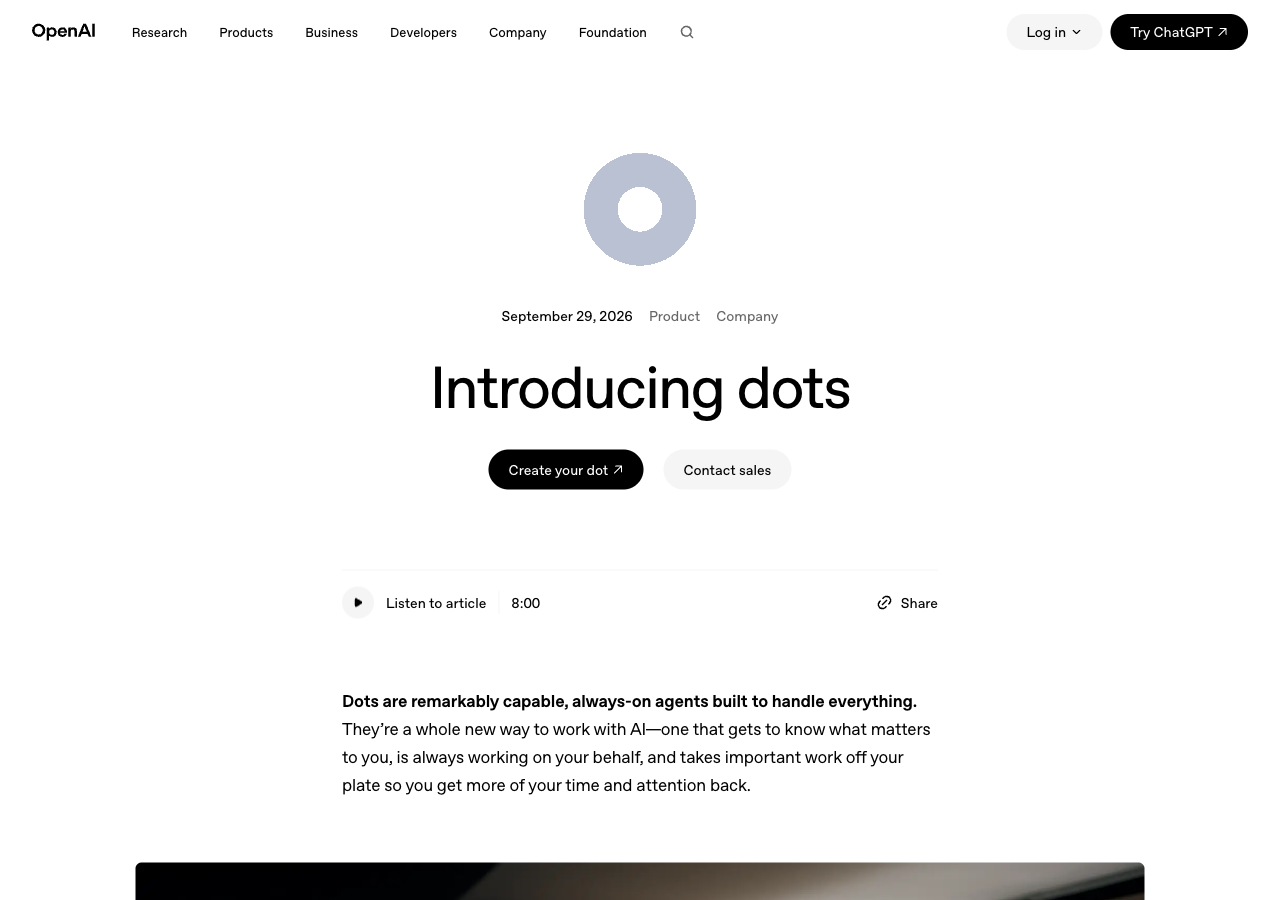
The short version: OpenAI launched dots on September 29, 2026. A dot is an AI agent that lives inside ChatGPT, runs on GPT-6 Astra, has its own cloud computer and keeps working on your goals when you are not there. It is only on ChatGPT Pro (from $100 a month, not in the EU/EEA, UK or Switzerland) and Business Premium seats for now. Most beginners should wait. If you already pay for Pro, it is worth setting up with approvals switched on.
Every ChatGPT conversation so far has worked the same way. You type, it answers, and nothing happens until you type again. A dot works differently. You give it a goal once, and it keeps checking and drafting in the background, then messages you when it needs a decision.
We have not had hands-on time with a dot yet, since the rollout takes several days to reach accounts. This guide is built from OpenAI’s announcement and its help center. The screenshots below are from those official pages, captured on September 30.
What is a ChatGPT dot?

OpenAI calls dots “always-on agents.” A dot is a version of ChatGPT that has a job instead of a conversation. OpenAI’s help center puts the difference this way: your dot “can take on ongoing responsibility and keep making progress between conversations.”
Its default handle is @yourname-dot, and naming it changes that to @yourname- plus the name you chose. You pick a cartoon character or a pet as its avatar. OpenAI chose the cheerful look on purpose. TechCrunch called dots OpenAI’s “bubbly agentic avatar” and compared them to Meta’s Muse agent, which we covered in Meta Muse vs OpenClaw.
A dot keeps working after you close the tab
A dot differs from a normal chat in three ways.
- Its own computer. Each dot runs on a cloud computer with its own browser. You can open that computer at any time to watch what it is doing. Your own laptop stays separate unless you connect it.
- Access to your apps. Through OpenAI’s plugins, a dot can connect to more than 4,000 apps, such as your calendar, email and Slack. If plugins are new to you, our guide to AI connectors vs plugins explains how they work.
- It reaches you. You can message or call your dot in ChatGPT on your computer or phone, and message it in Slack and Microsoft Teams. Texting is “coming soon,” with a limited test for some US Pro users. The dot can also message you first with progress or questions.
When you are not working with it, the dot does what OpenAI calls “proactive research.” It looks through your connected apps for ways to help, but only with read-only tools. In that mode it cannot send messages, change anything or control a browser. One early tester’s dot noticed he had forgotten to invoice a publication, prepared the invoice, and sent it once he approved.
Who can use dots today, and what does it cost?

Dots are not on the Free, Go or Plus plans. Here is who gets one, according to OpenAI’s getting started guide:
| Plan | Price | Dots? |
|---|---|---|
| Free, Go, Plus | $0 to $20/month | No |
| Pro | From $100/month, in a choice of three usage tiers | Yes, except in the EU/EEA, UK and Switzerland |
| Business Premium seat | $125/user/month, or $100 billed yearly | Yes, in all supported regions |
| Enterprise, Edu, Healthcare | Custom | Beta, off until an admin turns it on |
Your first dot is included at no extra cost. OpenAI says you will later be able to pay for more dots, or pay to make one dot faster.
A ChatGPT Business workspace needs at least two seats, which changes the math for small businesses. If you are a one-person business in the UK or Europe, where Pro is excluded, the cheapest monthly route to a dot is one Premium seat plus one Standard seat. By OpenAI’s published seat prices, that is $125 plus $25, or $150 a month. Billed yearly, it drops to $120 a month. Those are US prices, and OpenAI says local pricing may differ.
Chatting with your dot does not count toward your ChatGPT usage limits. When your dot starts work in OpenAI’s coding tool (Codex) or in ChatGPT Work, that work does count. Our ChatGPT pricing guide has the full plan list.
The controls matter more than the features
Before you let an assistant act on its own, check what it is allowed to do. This part of OpenAI’s page covers it.

- Custom Rules. For any action, you can allow it, require your approval, or block it.
- Activity View. Shows everything the dot has done, including background work, so you can redirect it.
- Auto-review. Before an action that could affect your accounts or share information, the dot checks it against your rules. Some jobs, such as changing a password, always stay with you.
- Saved passwords. A dot can sign in to supported sites without the passwords being shown to the model.
- Training. On personal plans you choose whether your dot’s work is used to train OpenAI’s models. Business, Enterprise and Edu content is not used by default.
OpenAI also says its monitoring can pause or stop a dot if it spots a safety problem, and that dots have defenses against malicious instructions. Those hidden instructions, planted in a web page or email to hijack an agent, are called prompt injection. No company has fully solved it. OpenAI’s advice: “Dots can still make mistakes, so always review consequential work.”
How is a dot different from Codex or Grok Bot?
Not as much as the launch suggests. TechCrunch pointed out that “much of this functionality was already possible through Codex and similar agentic harnesses,” meaning software that lets an AI carry out tasks on its own. What is new is the package. A dot stays switched on, remembers what you like, carries context between ChatGPT, Slack and Teams, and comes to you with updates without being asked.
The closest thing we have tested is SpaceXAI’s Grok Bot, another agent that runs in the background. We built one and gave it a real job. Our Grok Bot test covers what it did well and where it broke. Updated 15 October 2026: the two have drifted further apart since dots launched. On 2 October SpaceXAI gave every Grok Bot account a starred primary Bot, which takes your requests and passes each one to the right Bot on your team. ChatGPT has nothing like that yet, because you only get one dot. The other gap is cost: chatting with a dot does not count toward your ChatGPT limits, while talking to Grok Bot comes out of one weekly allowance shared with Grok and Cursor. If the difference between an agent and a chatbot is still fuzzy, start with AI agents vs chatbots.
Should you pay $100 a month for a dot?
Probably not, if a dot is the only reason you would upgrade. For most readers of this site, Plus at $20 a month still covers what they use ChatGPT for. OpenAI’s own examples (a developer shipping bug fixes, a scientist rerunning analyses, a sales lead updating proposals) describe people whose time is worth far more than $100 a month.
If you already pay for Pro, set one up. Give it one recurring, low-stakes job to start, like a Friday summary of unpaid invoices or a weekly check of your calendar for clashes. Set sending and purchases to “require approval.” Read the Activity View for the first two weeks before you loosen any rule.
A dot is good at the watching and the first draft. These parts stay with you:
- Deciding whether a reply should be sent at all, and in what tone.
- Knowing when a client relationship matters more than being right.
- Noticing that a task on the list no longer needs doing.
- Owning the result when something it sends goes wrong.
For ideas on jobs worth handing to an agent, see how we built an everyday AI agent team.
Common questions about ChatGPT dots
Is a dot the same as ChatGPT?
It lives inside ChatGPT and runs on GPT-6 Astra. The difference is that a dot keeps working between conversations, on its own cloud computer, instead of stopping after each answer.
Can I create a dot on my phone?
No. You create it in the ChatGPT desktop app or ChatGPT in a desktop browser. After setup, you can talk to it in the ChatGPT mobile app once mobile access reaches your account. Mobile web is not supported.
Why can’t I see dots on my Pro account?
Two likely reasons. The rollout is gradual and OpenAI says it may take several days. And Pro accounts in the EU and wider European Economic Area (EEA), the UK and Switzerland are excluded at launch.
Can a dot use my own computer?
Only if you give it permission. By default it works on its own cloud computer, and your laptop and its files stay separate.
Can I have more than one dot?
Not yet. One dot comes with Pro or a Business Premium seat. OpenAI says extra dots will be available to buy later. It is also piloting “specialist dots” for companies and working with Microsoft to bring them to Agent 365.
Made for regular people, by a real person
One free email every morning on the AI launches that matter to ordinary life. Written by a human, in plain English.
Free forever. Unsubscribe anytime.
Sources
- OpenAI: Introducing dots (September 29, 2026; features, controls, availability)
- OpenAI Help Center: Getting started with your dot (plans, excluded regions, setup)
- OpenAI Help Center: ChatGPT Business overview (Premium and Standard seat prices, two-seat minimum)
- TechCrunch: OpenAI launches Dots, its bubbly agentic avatar
Read next
- Gemini 4 Argon: Who Gets It, When: Google’s new top model, announced the day after dots.
- GPT-6 Astra: What Really Changed: the model every dot runs on.
- AI Agents vs Chatbots Explained: why a dot behaves differently from a chat.
- Grok Bot vs ChatGPT Dot: two weeks with both, side by side.
- Grok Bot: I Tested It on Real Work: the closest rival always-on agent.
- AI Connectors vs Plugins Explained: how a dot reaches your 4,000 apps.
- The Everyday AI Agent Team: jobs worth handing to an agent.
- ChatGPT Pricing: Free vs Plus vs Pro: what Pro costs and what else it includes.
Two ways to go further
The AI Prompt Library
1,000+ ready-to-use prompts for Claude, ChatGPT, and Gemini. Stop staring at a blank box.
Get it for $39 →2-Hour Live AI Crash Course
A private, beginner-friendly session across Claude, ChatGPT, Gemini, and the wider landscape.
Book for $125 →