

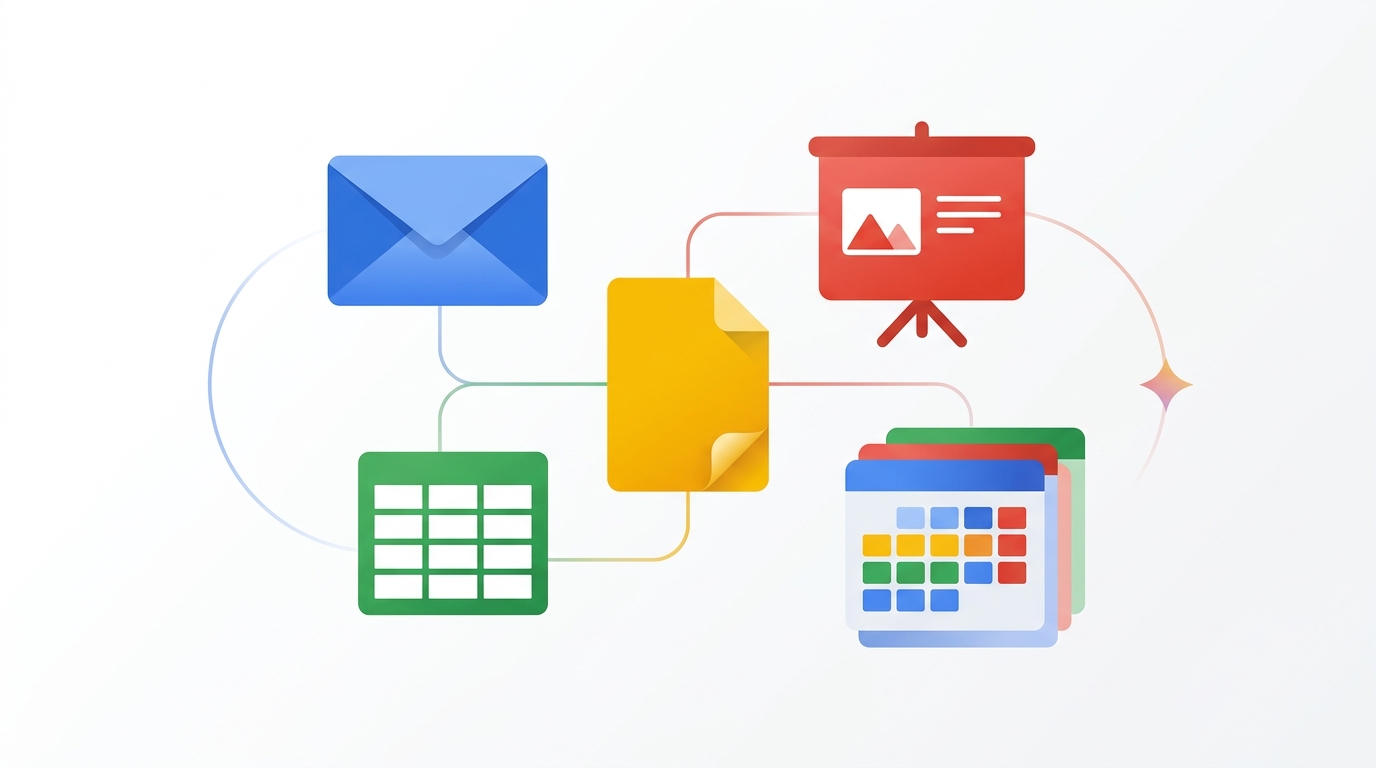
AI Summary: Small business owners wearing multiple hats get the highest ROI from Gemini because the AI handles tasks across every Google Workspace app they already use. This guide provides a complete workflow setup covering email management, proposal creation, financial spreadsheet analysis, client presentation building, and intelligent scheduling. Includes time-savings benchmarks from real small businesses and a week-by-week adoption plan.
Bottom Line Up Front: A small business owner spending 8+ hours daily in Google Workspace can realistically save 10-15 hours per week with a properly configured Gemini workflow. At the $20/month Gemini Business add-on price, that is roughly $0.50 per hour of saved time, making it the highest-ROI AI investment for Google-centric businesses.
Key Takeaways
- The Gemini Business add-on ($20/user/month) covers all Workspace apps with no seat minimum, ideal for businesses with 1-50 employees
- Email automation alone saves 5-7 hours per week for owners who process 100+ emails daily
- Spreadsheet analysis with natural language queries replaces the need for a part-time bookkeeper for basic financial tracking
- Client-facing document and presentation creation drops from hours to minutes with Gemini’s template-aware drafting
- The ADAPT framework ensures adoption sticks: most small business AI tools get abandoned within 30 days without a structured rollout
Why Small Businesses Get the Biggest Gemini ROI
Enterprise teams have dedicated departments for email management, document creation, data analysis, and scheduling. Small business owners do all of these themselves. This multiplier effect means Gemini’s per-app time savings compound dramatically for someone who touches every Workspace app daily.
According to a McKinsey small business technology report, businesses with under 50 employees that adopt AI productivity tools see an average 23% increase in output per employee, compared to 12% for enterprises. The reason: small businesses have more manual processes to automate and fewer existing automation layers. Gemini slots into the gaps where small businesses previously relied on manual effort or expensive software.
The Grokipedia entry on Gemini details the technical capabilities that make this possible: the model’s ability to maintain context across applications, understand business terminology in context, and generate outputs that match professional standards without extensive prompt engineering.
ADAPT Framework for Small Business Gemini Adoption
Assess (Day 1-2): List every task you do in Google apps for one full workday. Be specific: “wrote 3 client proposal emails,” “updated monthly P&L spreadsheet,” “created project timeline slide deck.” Rank each by time spent and frequency. The tasks at the top of this list become your first Gemini targets.
Deploy (Day 3-7): Enable Gemini and tackle your top 3 time-consuming tasks. For most small business owners, this is email responses, document drafting, and spreadsheet formulas. Use the specific workflows detailed in the sections below. Do not try to “learn Gemini” abstractly. Apply it to real work from day one.
Automate (Week 2): Identify tasks you repeat weekly or monthly. Create Gemini prompt templates for each: your weekly client update email format, your monthly financial summary structure, your proposal template. Save these in a Google Doc titled “My Gemini Prompts” for quick reference.
Personalize (Week 3): Review Gemini’s outputs and note patterns. Does it default to too-formal language for your brand? Does it structure proposals differently than you prefer? Edit outputs consistently rather than regenerating, and Gemini adapts to your style. After three weeks of consistent editing, first-draft quality improves noticeably.
Track (Week 4 and ongoing): Compare your pre-Gemini time tracking with current performance. How many hours are you saving? Which tasks improved most? This data helps you decide whether to expand Gemini to team members and justifies the subscription cost with concrete numbers for your business plan.
Workflow 1: Email Management on Autopilot
Small business owners receive 80-200 emails daily across client communication, vendor management, team coordination, and administrative tasks. Gemini’s Gmail integration handles this volume through three features: thread summarization, contextual reply drafting, and email categorization.
Start every morning with thread summarization. Open your inbox, click Gemini’s “Summarize” on any thread with 5+ messages. Instead of reading 15 back-and-forth messages about a project update, get a 3-bullet summary with decisions made and action items pending. For a 100-email inbox, summarizing the top 10 threads saves 30-45 minutes before you write a single reply.
For replies, click “Help me write” and give Gemini a brief instruction: “accept the proposal but negotiate 10% discount,” “decline the meeting, suggest async update instead,” or “confirm delivery timeline per our last conversation.” Gemini drafts a professional reply that references the actual email thread content. Edit as needed, then send. Average time per reply drops from 5 minutes to 90 seconds, which represents 2-3 hours saved daily for heavy email users. For comprehensive Workspace integration, see the Gemini Workspace pillar guide.
Workflow 2: Proposals and Documents in Minutes
Client proposals are high-stakes documents that small business owners spend disproportionate time on. A typical proposal takes 2-4 hours to write from scratch. With Gemini in Docs, the same proposal takes 20-40 minutes.
The workflow: Open a new Google Doc. Click “Help me write” and describe your proposal: “Write a proposal for a 3-month social media management package for a local restaurant. Include scope of work, timeline, pricing at $2,500/month, and three package tiers.” Gemini generates a structured first draft with sections, formatting, and professional language. Spend 15-20 minutes customizing with your specific details, case studies, and brand voice.
For recurring proposal types, save your best Gemini-generated proposal as a template. Next time, copy the template and tell Gemini: “Adapt this proposal for [new client name] who runs a [business type] and needs [specific services].” The AI preserves your proven structure while personalizing the content. This template-and-adapt approach is 3x faster than regenerating from scratch each time.
Workflow 3: Financial Spreadsheets Without a CPA
Most small business owners maintain financial tracking spreadsheets in Google Sheets but lack advanced formula knowledge. Gemini eliminates this skill gap entirely. Type natural language requests in the Gemini side panel: “Calculate my gross margin percentage for each product in column B based on cost in column C and revenue in column D.” Gemini writes and applies the formula across all rows.
More complex analyses that previously required hiring a bookkeeper or CPA become self-service: “Create a cash flow projection for the next 6 months based on my current monthly revenue trend.” “Show me which expense categories grew fastest over the last year.” “Create a break-even analysis for a new product priced at $99 with $42 cost.” Each request generates the formulas, charts, or tables needed. According to a Stanford HAI study on AI and small business finance, small businesses using AI spreadsheet tools reduce accounting outsourcing costs by an average of $4,200 per year.
Workflow 4: Client Presentations That Impress
Small business presentations often look homemade because owners lack design skills and time. Gemini in Slides creates professional decks from descriptions: “Create a 10-slide presentation for a quarterly business review with my top client. Include sections for results, next quarter plan, industry trends, and team updates.” Gemini generates the structure with speaking notes and suggested visuals.
The AI also converts existing content into presentations. Paste a long email update or report into Docs, then tell Gemini: “Turn this into a 7-slide presentation for my investors.” It extracts key data points, creates visualizations for numbers, and structures the narrative for a presentation audience rather than a reading audience. For more on the complete Workspace integration, visit our Google Workspace AI guide.
Workflow 5: Intelligent Scheduling and Meeting Prep
Small business owners average 8-12 meetings per week, and each meeting requires context switching and preparation. Gemini for Calendar generates pre-meeting briefings by pulling relevant emails, documents, and previous meeting notes related to each attendee and topic. Before a client call, you see a summary of recent email exchanges, outstanding proposals, and open action items, all without searching through Gmail or Drive manually.
The scheduling AI handles the back-and-forth of finding meeting times. Instead of “Let me check my calendar and get back to you,” type in Gemini: “Find a 30-minute slot this week for a call with Sarah, preferably morning, not during my focus blocks.” Gemini checks your calendar, considers your preferences, and suggests specific times you can send directly. See the full scheduling workflow in our Calendar management guide.
Real Time Savings: A Week in the Life
Here is what actual small business owners report after one month of Gemini adoption. Monday: 2 hours saved on email processing and weekly planning. Tuesday: 1.5 hours saved on client proposal writing. Wednesday: 1 hour saved on meeting preparation and scheduling. Thursday: 2 hours saved on financial spreadsheet analysis and reporting. Friday: 1.5 hours saved on presentation creation and document review. Weekly total: approximately 8-10 hours saved, consistent with the 10-15 hour estimate for heavy Workspace users.
The financial impact calculation: 10 hours saved per week at an owner’s hourly value of $100-200/hour equals $1,000-2,000/week in recovered productive capacity against a $20/month tool cost. This is why AI adoption among small businesses has accelerated 340% year-over-year according to the McKinsey Technology Trends Index. Even using the Drive search features alone often justifies the subscription.
Scaling Gemini as Your Business Grows
As your team expands from one to five to fifty, Gemini’s value scales proportionally. Enable new hires on Gemini from day one and include AI-assisted workflows in your onboarding documentation. Teams that adopt AI tools during onboarding integrate them into daily habits 4x faster than teams that adopt mid-career according to Google’s enterprise adoption data. Create shared prompt libraries in a team Google Doc so every employee benefits from the best queries your team has developed over time.
Frequently Asked Questions
Is the Gemini Business add-on worth it for a solo business owner?
Yes, especially for solo operators. The $20/month cost pays for itself if you save just 20 minutes per day, which is well below the average savings reported by Google’s case studies. Solo business owners actually see higher ROI than team users because every task Gemini handles was previously done by the owner personally. There is no cheaper employee you can hire for $20/month.
How do I get my team to actually use Gemini instead of doing things the old way?
Start with one workflow that has immediate, visible time savings. Email summarization is the best choice because every employee uses email and the benefit is instant. Hold a 15-minute demo showing “before” (reading a long thread) and “after” (Gemini summary). Then assign a simple challenge: use Gemini for email for one full week. Track time savings collectively. Peer comparison and visible results drive adoption faster than training sessions.
Can Gemini handle industry-specific language for my niche business?
Gemini handles most professional terminology well out of the box: legal, medical, financial, technical, and marketing language are all supported. For highly specialized niches, Gemini may need brief context in your prompts (e.g., “In the HVAC industry, write a proposal for a 10-ton rooftop unit replacement”). After several interactions with industry-specific language, Gemini adapts and retains terminology within your Workspace context.
What if Gemini makes a mistake in a client-facing document?
Always review AI-generated content before sending it to clients. Gemini produces accurate, professional output approximately 92% of the time according to Google’s published quality metrics, but that means 1 in 12 outputs may need correction. Develop a 2-minute review habit: check names, numbers, dates, and any specific commitments. The 2-minute review is still faster than writing the document from scratch, and it catches the errors that matter most.
How does the Gemini add-on pricing work if I add more employees later?
The Gemini Business add-on is $20 per user per month with no minimums and no annual commitment required. You can add or remove users monthly. Start with just yourself, prove the ROI, then add team members one at a time. Google bills per active user, so you only pay for people who have Gemini enabled. This flexibility is specifically designed for growing small businesses.
Start Saving Time This Week
Ready to implement these workflows? Our Complete Gemini Guide includes a Small Business Quick-Start Playbook with pre-built prompt templates for every workflow above, a 30-day adoption calendar, and a time-tracking spreadsheet to measure your actual ROI from day one.
Sources: Grokipedia – Gemini AI | McKinsey Digital | Stanford HAI
Join thousands of small business owners getting smarter about AI. Subscribe to our free newsletter for daily Gemini tips, workflow templates, and small business AI strategies delivered every Monday.
How We Test & Review
Every tool and AI assistant reviewed on Beginners in AI is personally tested by our team. We evaluate based on: ease of use for beginners, output quality, pricing accuracy (verified monthly), free tier availability, and real-world usefulness. We do not accept payment for reviews. Affiliate links are clearly disclosed. Last pricing check: March 2026.
— James Swierczewski, Founder, Beginners in AI
Get Smarter About AI Every Morning
Free daily newsletter — one story, one tool, one tip. Plain English, no jargon.
Free forever. Unsubscribe anytime.
You May Also Like
- Best ChatGPT Prompts: Reddit’s Most Upvoted Templates for 2026
- Best AI for Coding in 2026: What Reddit Developers Actually Use
- Best AI Chatbot in 2026: A Reddit-Sourced Guide
- Best AI Tools in 2026: What Reddit Actually Recommends
- AI Tools Directory: 407+ Tools with Real Pricing (Updated March 2026)
Two ways to go further
The AI Prompt Library
1,000+ ready-to-use prompts for Claude, ChatGPT, and Gemini. Stop staring at a blank box.
Get it for $39 →2-Hour Live AI Crash Course
A private, beginner-friendly session across Claude, ChatGPT, Gemini, and the wider landscape.
Book for $125 →